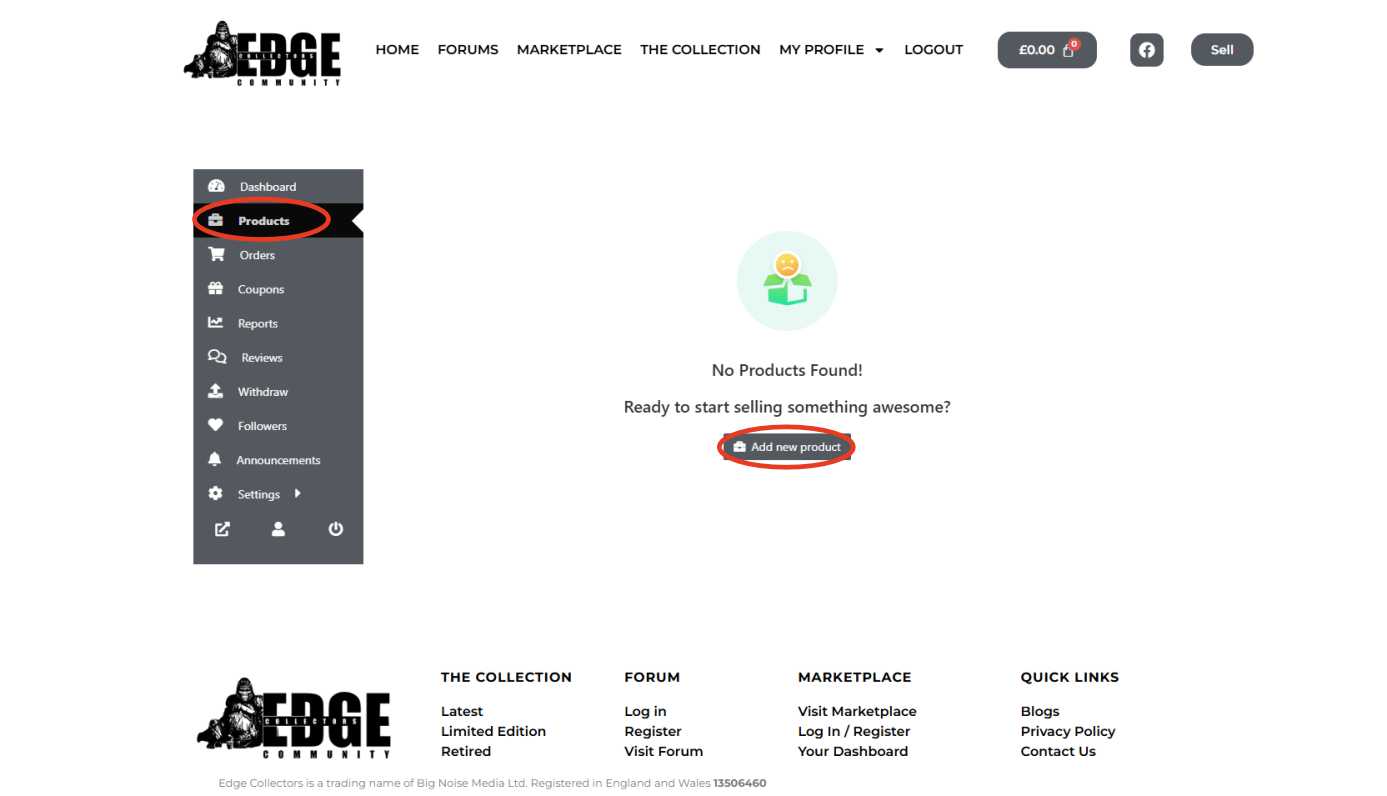
From your Vendor Dashboard, click “Products” on the left-hand menu, then click “Add New Product” at the top.
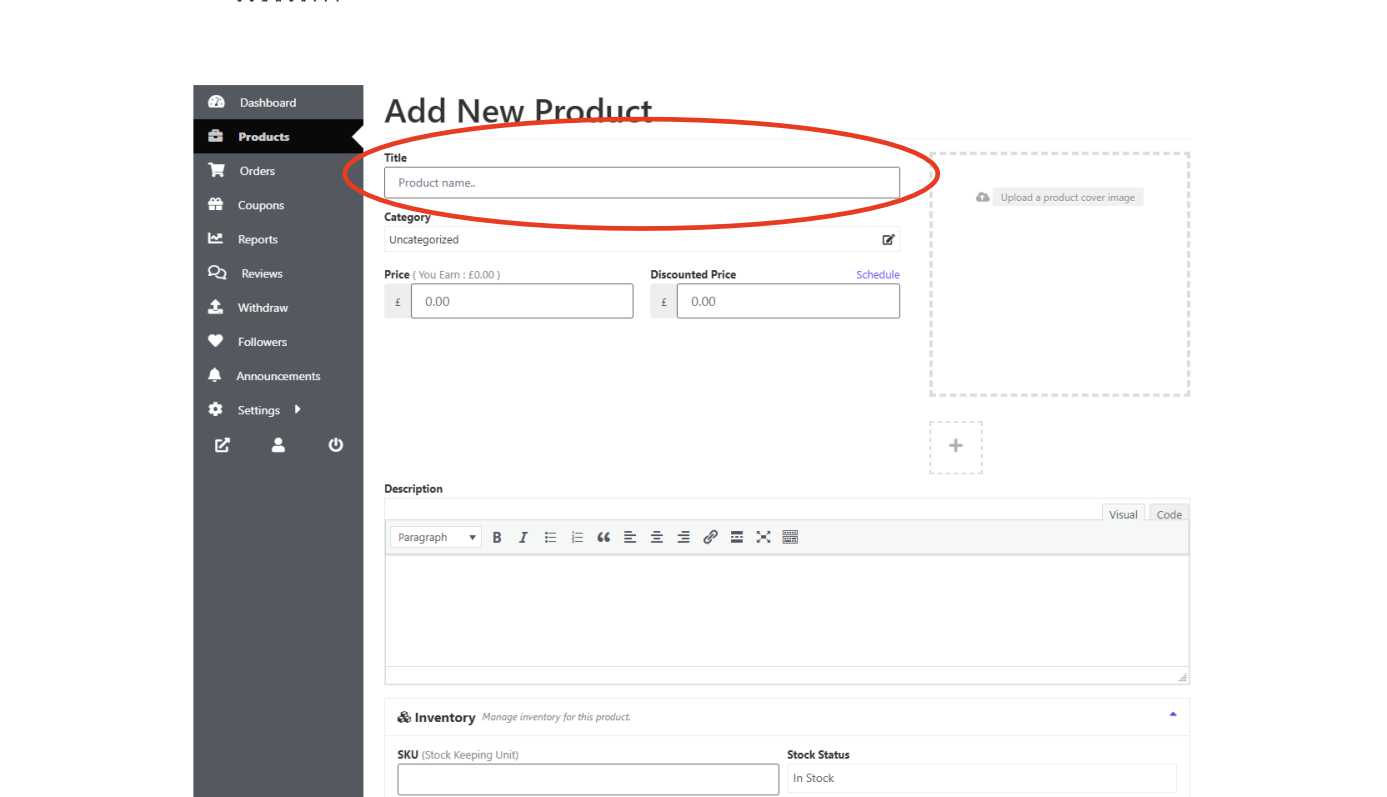
Step 2 - Add a Title
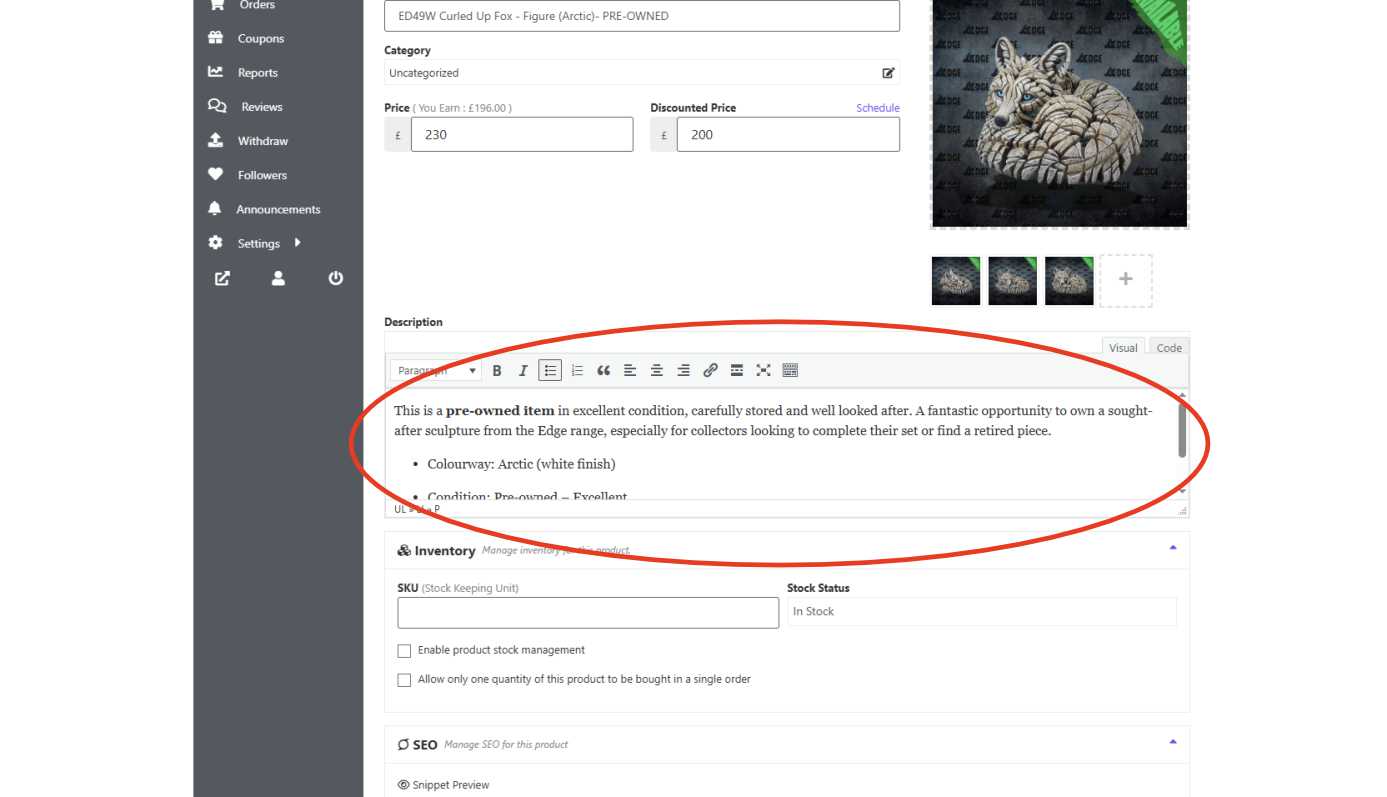
Give your sculpture a clear name. Example: ED49W Curled Up Fox – Figure (Arctic) – PRE-OWNED
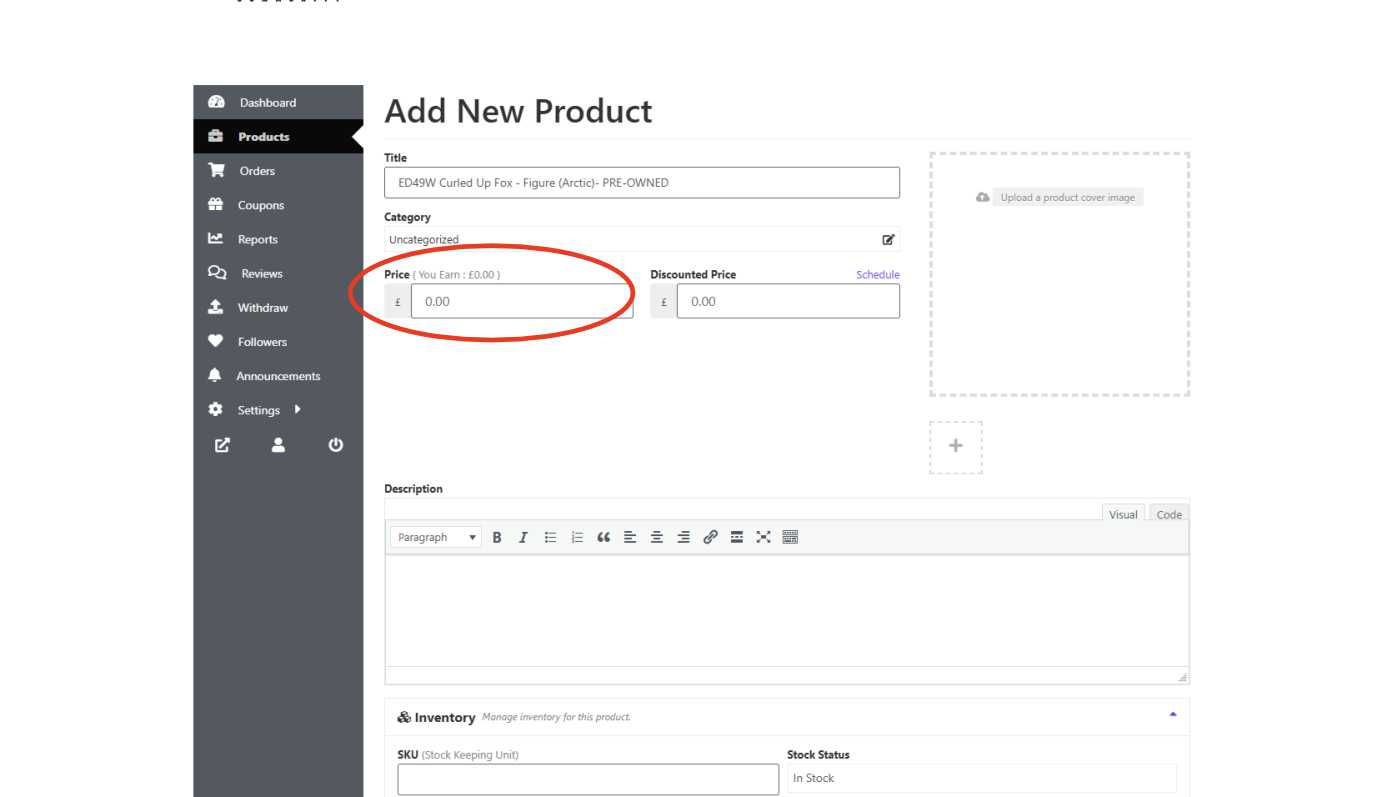
Step 3 - Set Your Price
Enter how much you’d like to sell the sculpture for in the Price box.
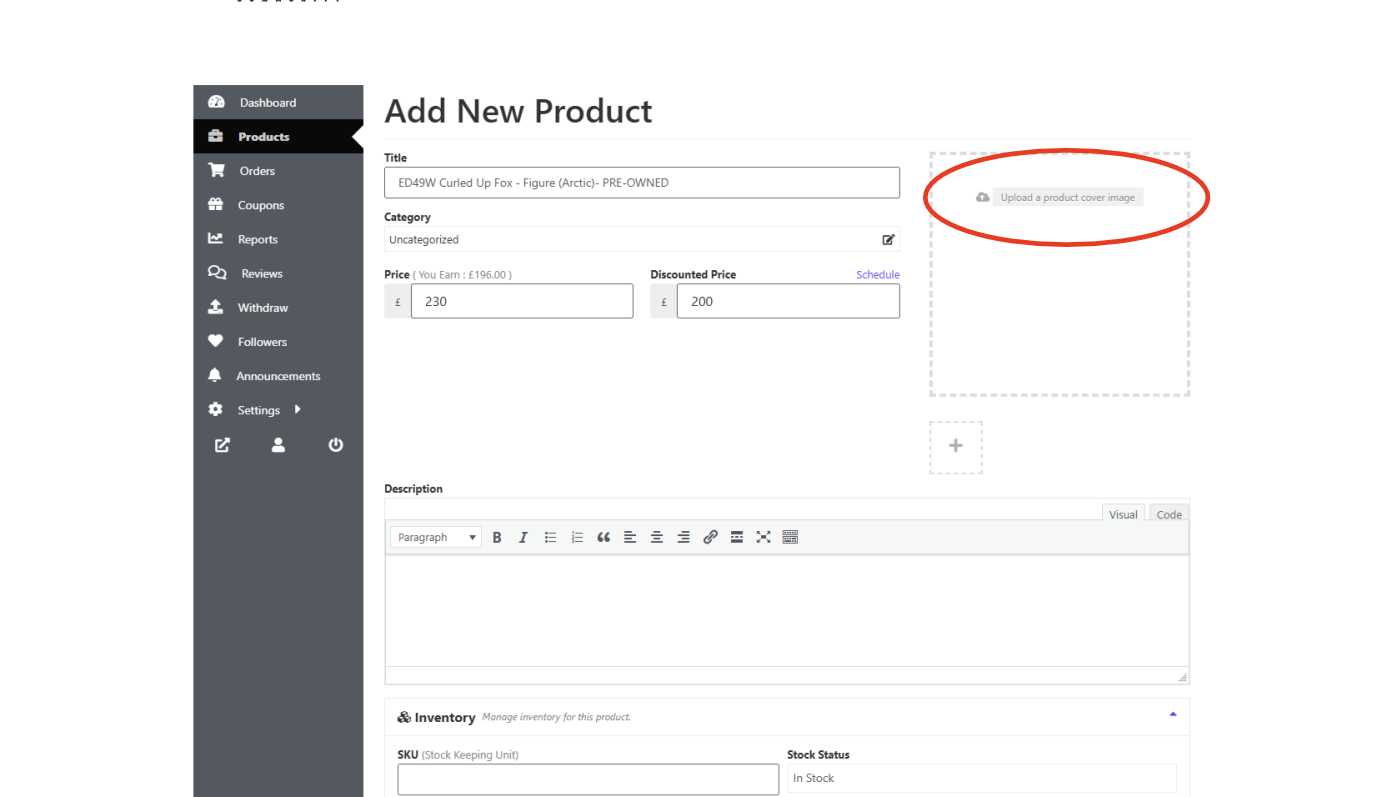
Step 4 - Upload Your Product Cover Image
This is the main photo that will show on the marketplace.
Click “Upload a product cover image”
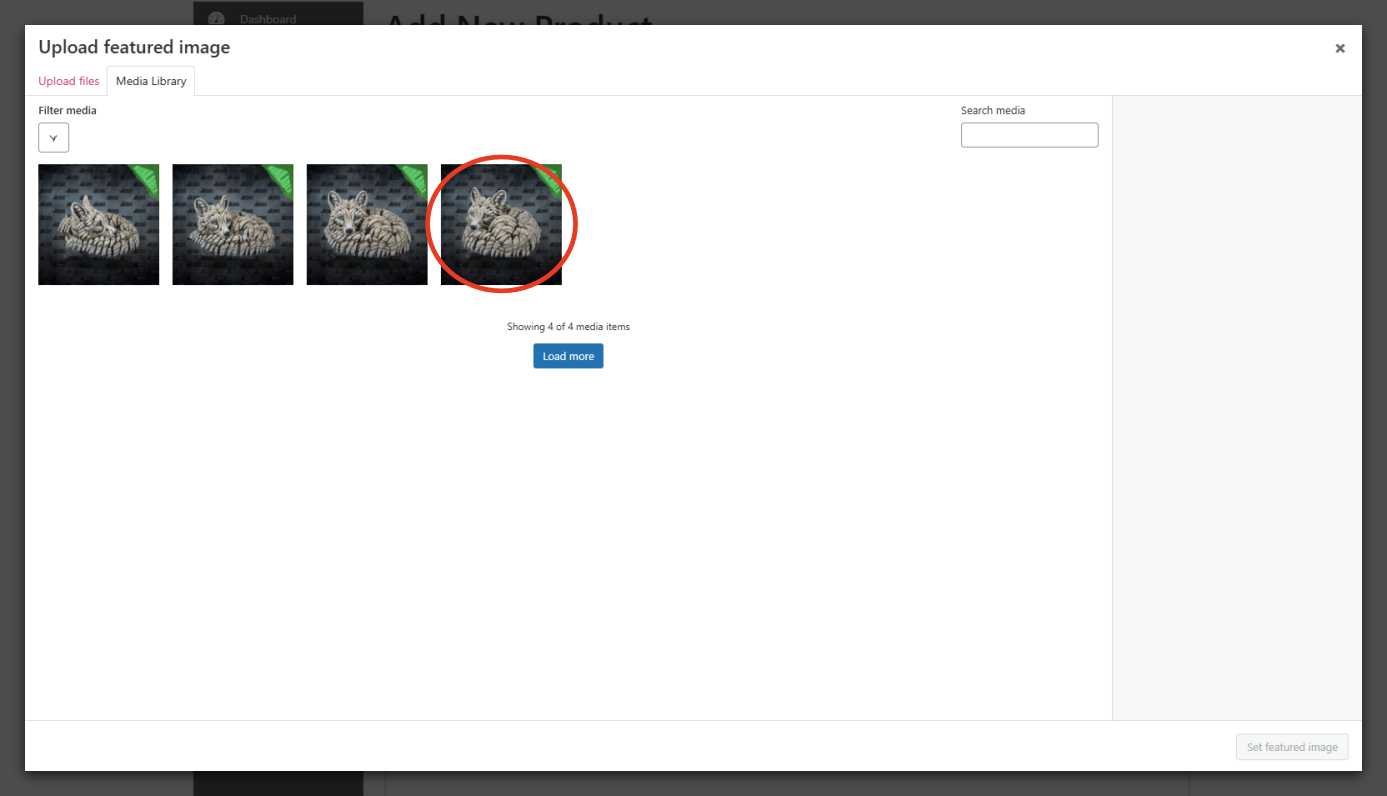
Drag and drop your images in, or browse your computer
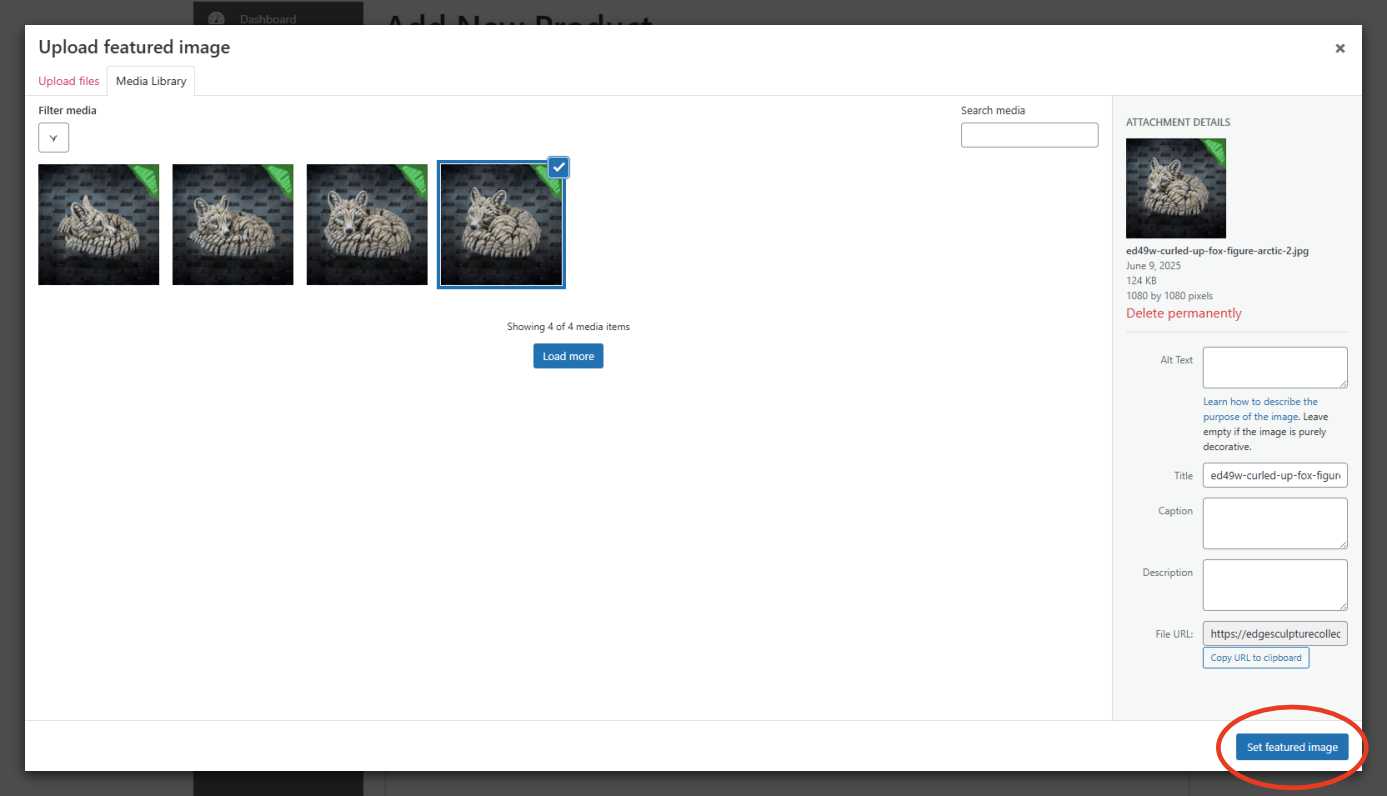
Select your main image and click “Set Featured Image” in the bottom right
Step 5 - Add More Photos
To show your sculpture from different angles:
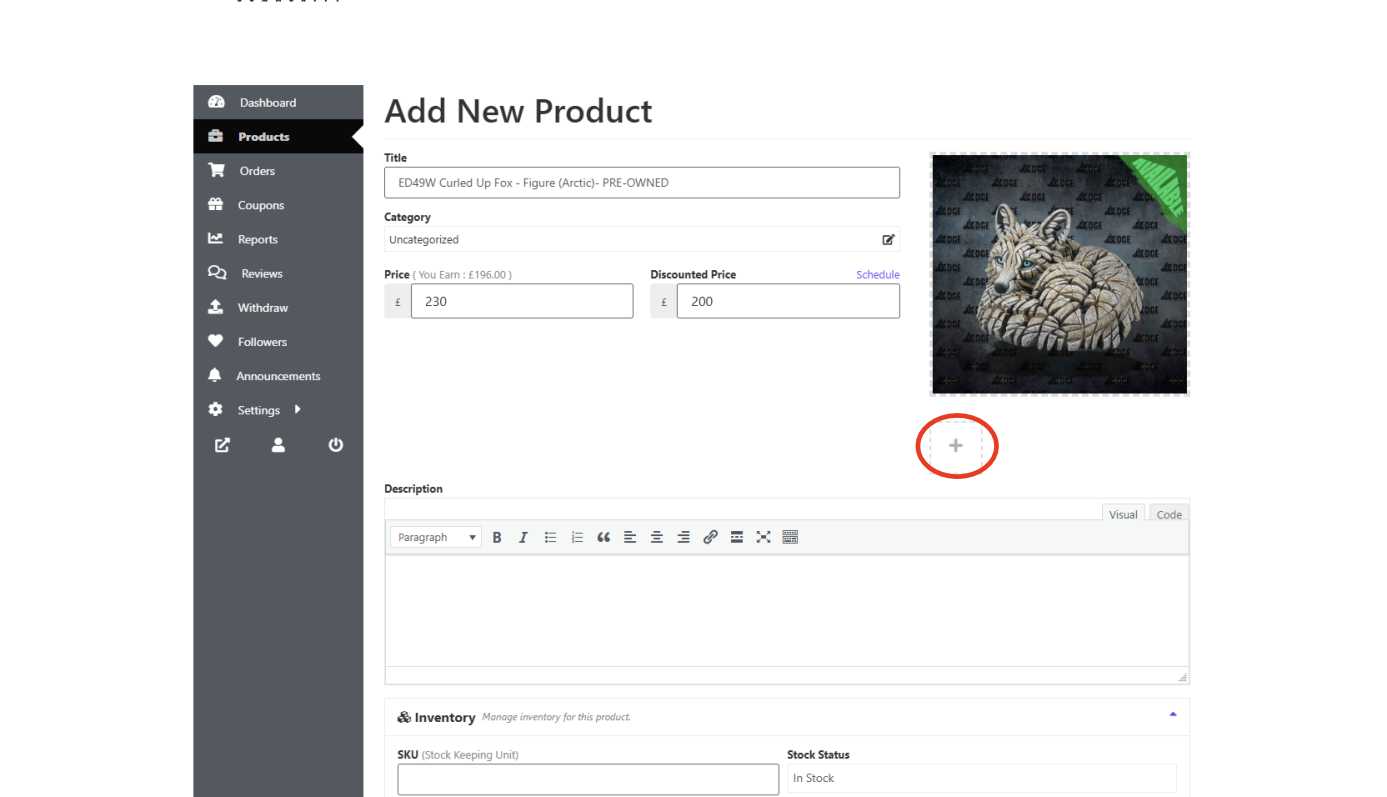
Click the + icon below your featured image
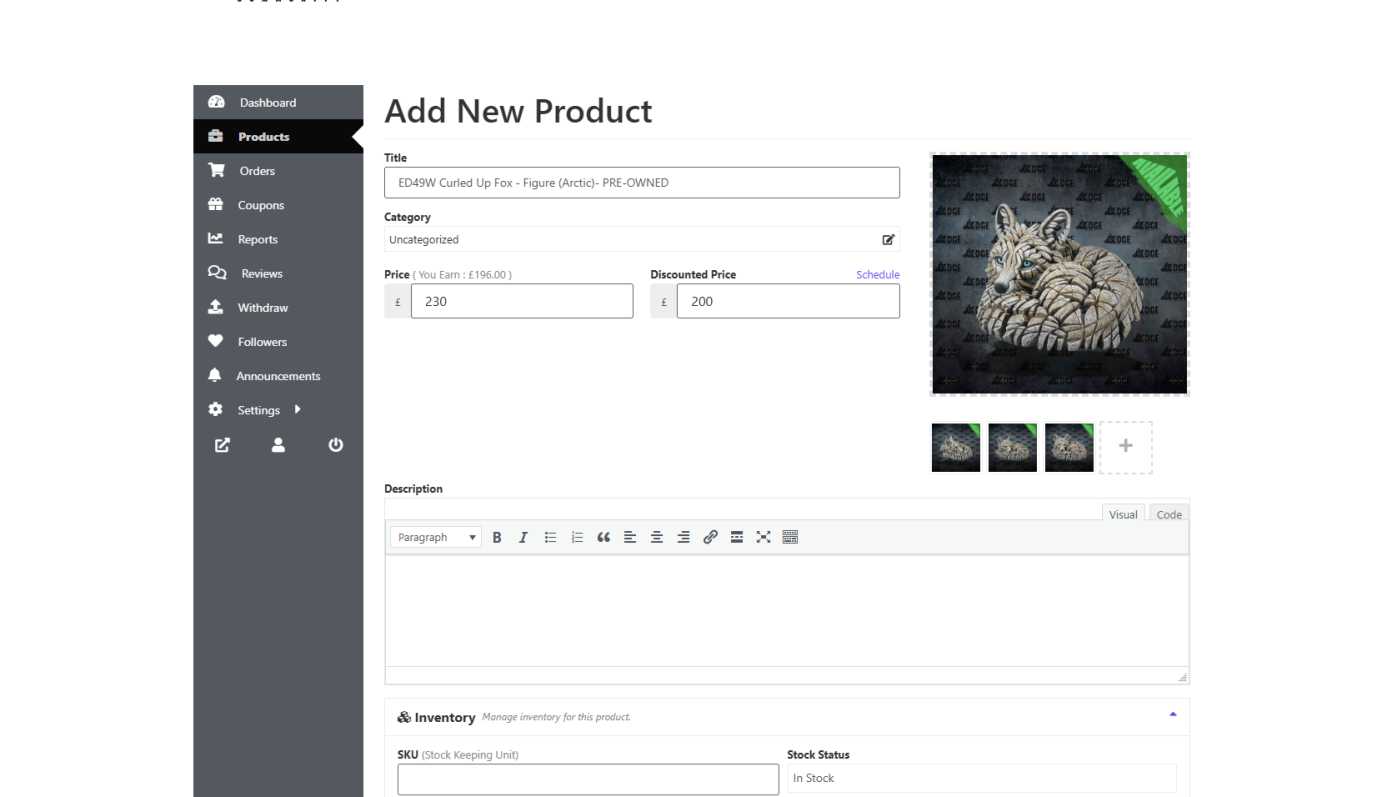
Upload more photos
Repeat as needed to build a full gallery
Step 6 - Write a Product Description
Tell buyers what they need to know:
Is it brand new or pre-owned?
Does it come with the original box or certificate?
Any marks, damage, or repairs?
Any personal collector notes or history?
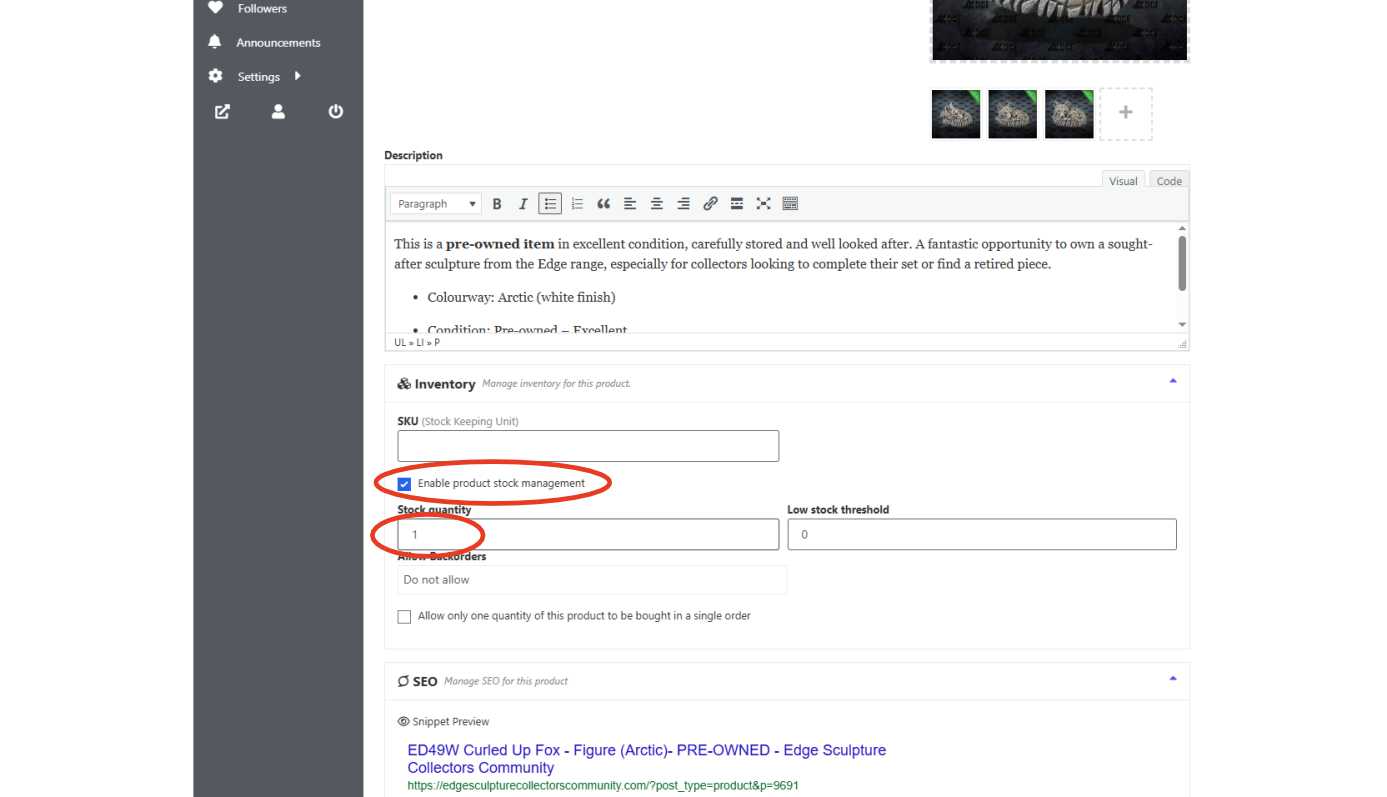
Step 7 - Manage Stock
Tick the box for “Enable product stock management” Then enter how many of this item you’re selling in the “Stock Quantity” box (usually 1 unless you’re selling multiples).
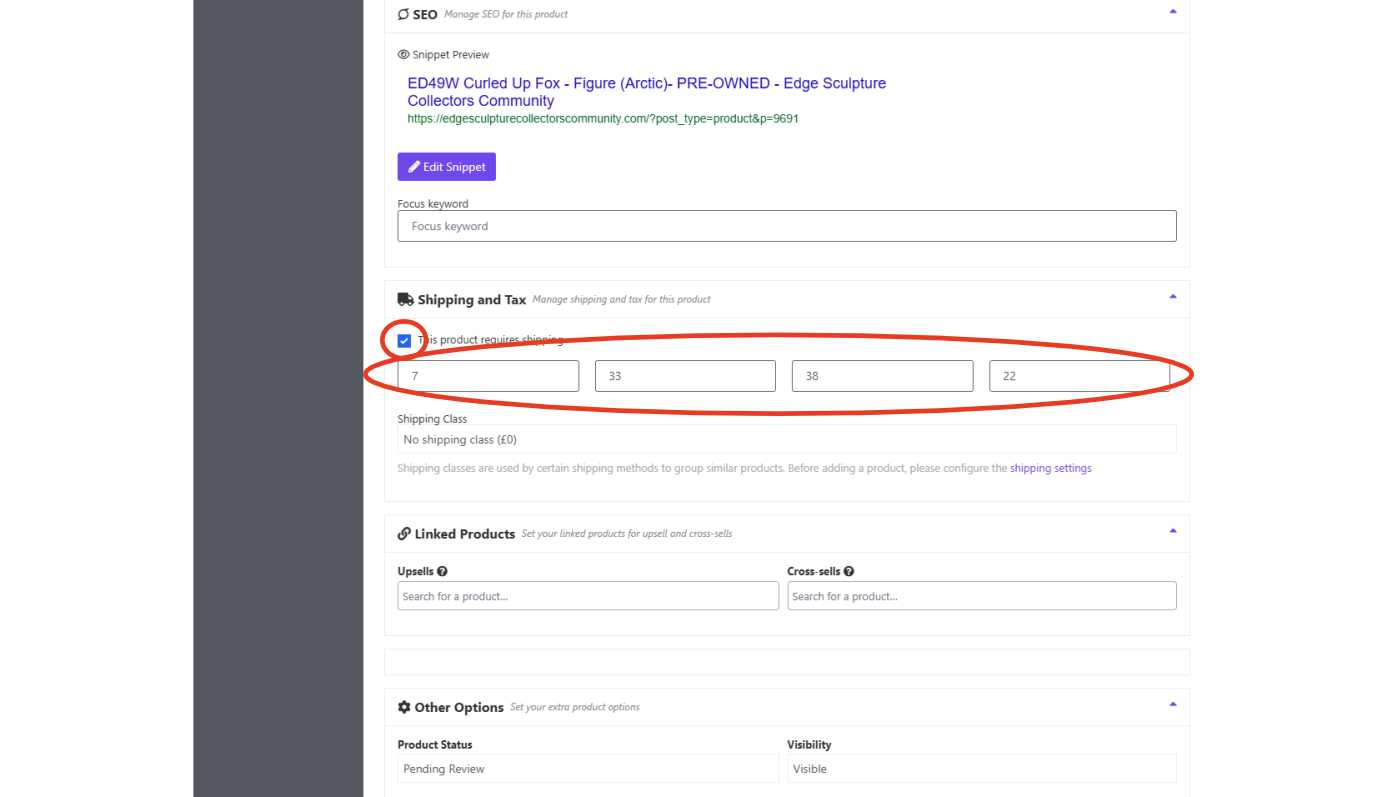
Step 8 - Add Shipping Details
Tick “This product requires shipping” Enter the sculpture’s dimensions (approximate height, width, depth) and weight if you know it.
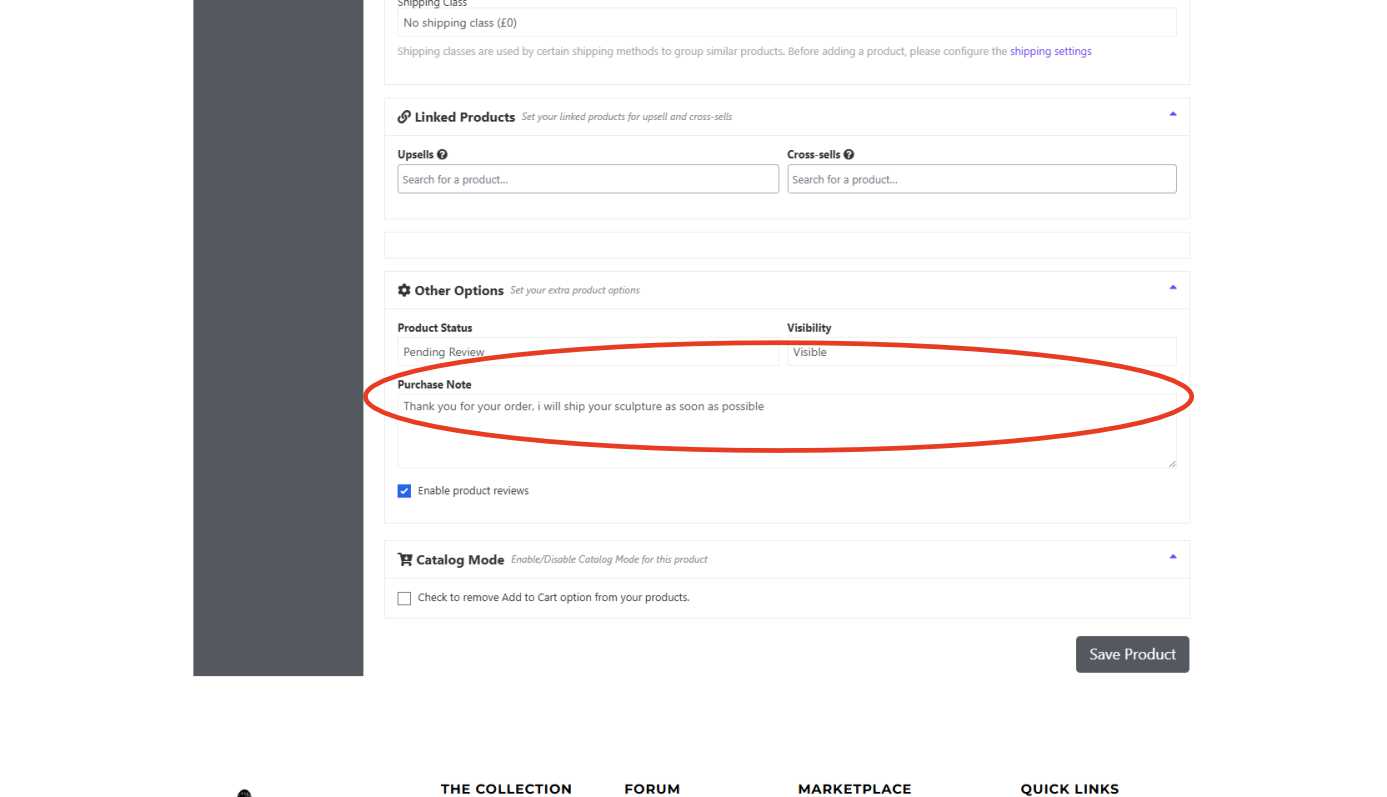
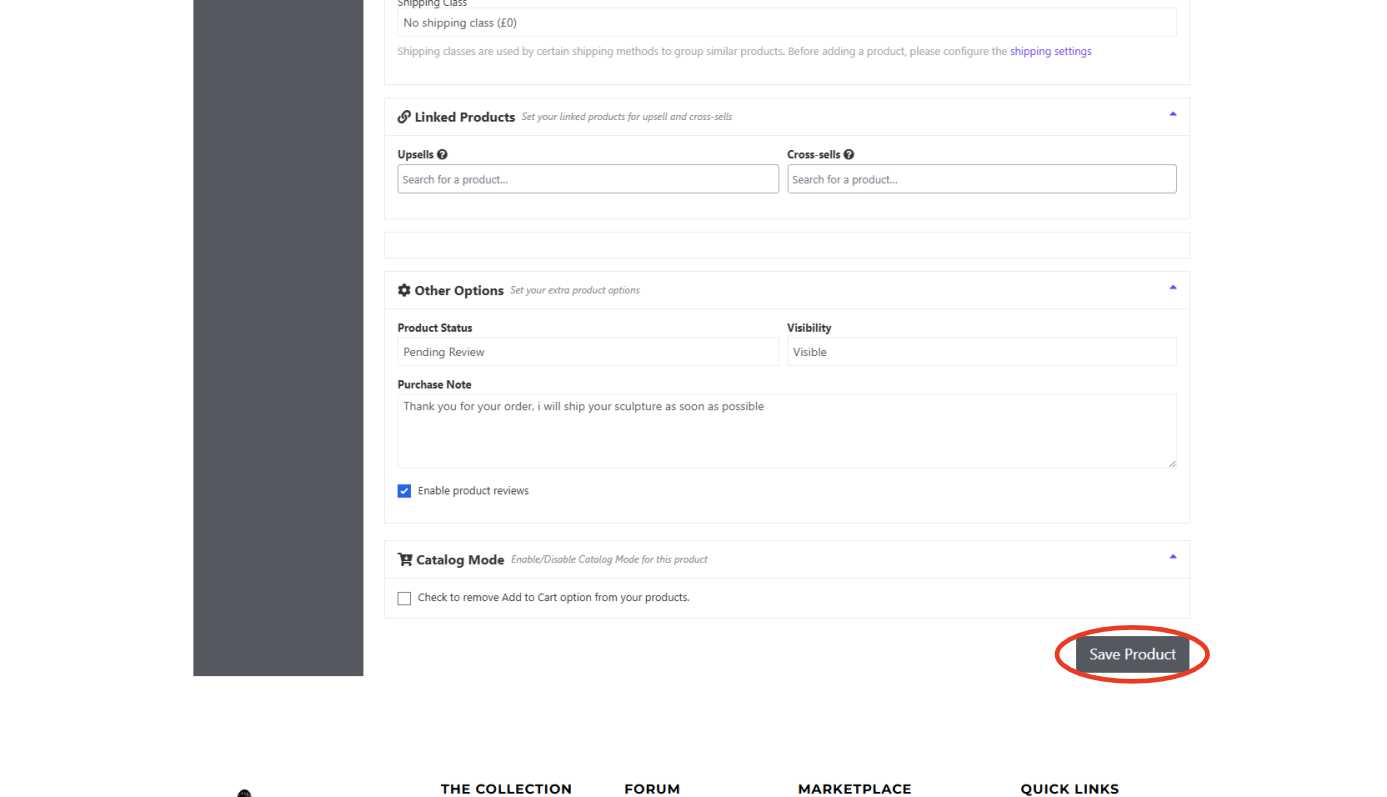
Step 9 - Write a Purchase Note
Add a short message buyers will see after they order. Example: "Thank you for your order – your sculpture will be packed and shipped with care!"
Step 10 - Save Your Product
Click the “Save Product” button. Once submitted, your listing will be reviewed and approved — and then it’ll go live on the marketplace!